
Digital Twin

See the Operation Before You Change It.

Model your warehouse, run representative demand, and evaluate how proposed automation could perform before physical deployment reaches the floor.

Validate the assumptions behind the investment. Explore throughput, workflows, resource constraints, system behavior, and operating scenarios in a synchronized digital environment.

Cartesian Digital Twin synchronized warehouse model
Synchronized Digital Model Model · Simulate · Validate
Operational Validation Test the proposed operation before committing it to the floor.
Model Warehouse Layout
Simulate Representative Demand
Evaluate Operating Constraints
Inform Deployment Decisions
Current Operation Start With the Warehouse as It Exists

Bring in the relevant layout, racks, inventory, workflows, demand patterns, and operating constraints.

Representative Demand Test Real Operating Conditions

Run representative order profiles, SKU behavior, volume patterns, and workflow assumptions.

Operational Insight Find Constraints Before Installation

Surface potential congestion, capacity limitations, workflow conflicts, and system dependencies earlier.

Better Decisions Inform the Business Case

Use modeled operating evidence to inform system design, deployment priorities, and investment decisions.

Physical ↔ Digital

Your Warehouse. Its Digital Counterpart.

The Digital Twin begins with the operation you already run. Warehouse conditions, inventory, workflows, demand, and automation behavior become the foundation for a synchronized environment where proposed changes can be evaluated before reaching the floor.
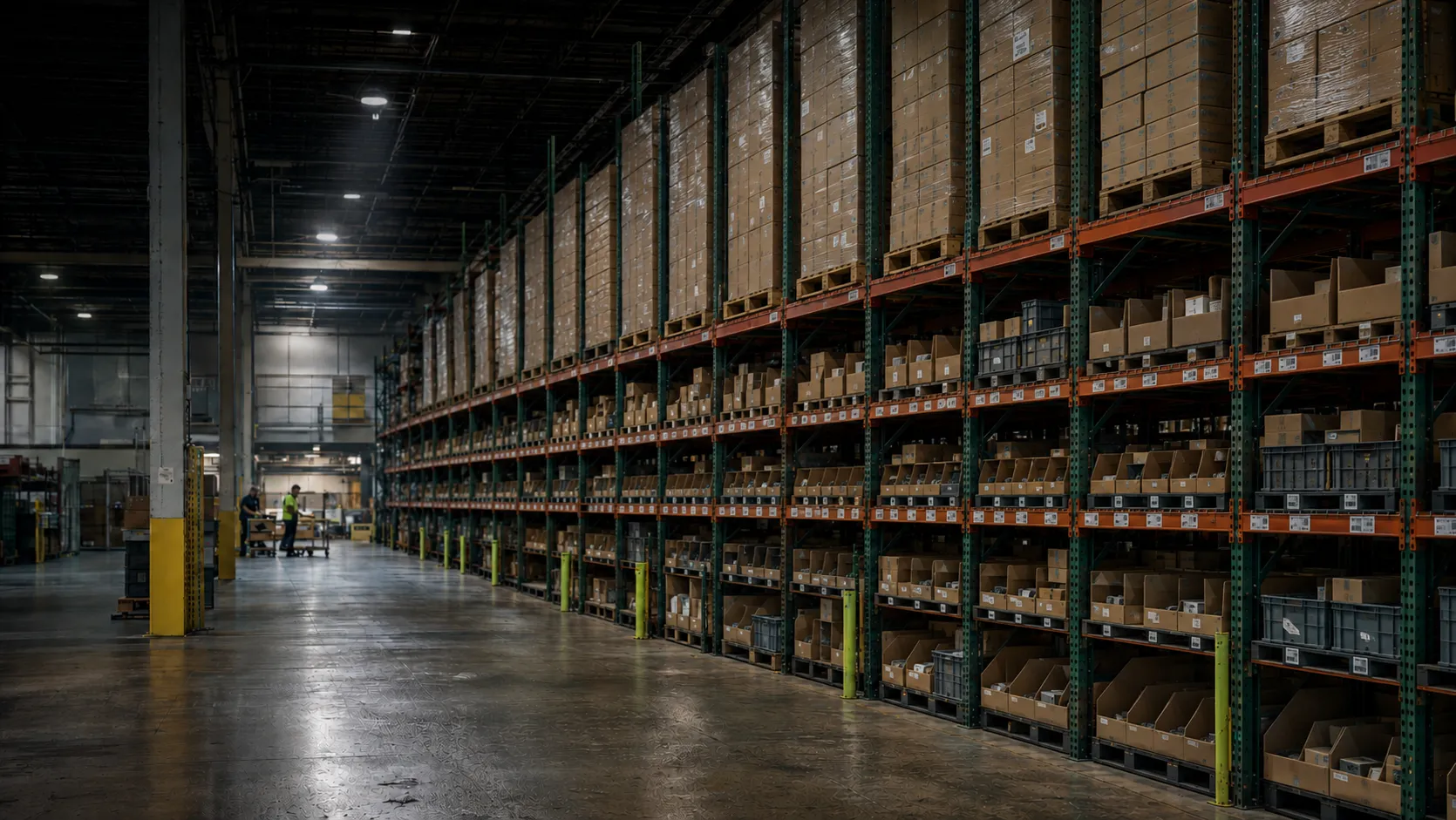
Physical Warehouse Current Operating Environment
Existing warehouse rack environment
Source of Truth Start with the warehouse as it actually operates.
Real Operating Environment

The Warehouse as It Exists

Existing racks, inventory, workflows, labor patterns, order profiles, material flow, and operating constraints establish the conditions the proposed solution must serve.

Sync
Shared Operating Context
Digital Twin Synchronized Operational Model
Cartesian synchronized digital model of warehouse operations
Digital Counterpart Explore how the operation could behave before deployment.
Controlled Digital Environment

The Operation Before Deployment

Recreate facility behavior, inventory movement, robotic execution, workflow logic, and operating scenarios in an environment where alternatives can be tested without disrupting live operations.

One Operating Truth. Two Environments.

Mirror Current Conditions Build the model around the layout, demand, inventory, workflows, and constraints that matter.
Test Proposed Changes Introduce automation, workflow changes, capacity assumptions, and operating scenarios digitally first.
Compare Before Committing Evaluate alternatives against a common operating baseline before deciding what should reach the floor.

How Validation Works

Model. Simulate. Validate. Then Deploy.

Turn the current operation into a controlled digital environment, introduce proposed automation, and test how the system responds before physical implementation.

Current Operation → → Better-Informed Deployment
01 · Model

Recreate the Operation

Represent the relevant warehouse layout, racks, inventory, workflows, resources, automation, and operating constraints in a digital environment.

Establish a common operating baseline
02 · Simulate

Run Operating Scenarios

Introduce representative order profiles, SKU behavior, volume changes, resource availability, and proposed automation configurations.

Observe how the system behaves
03 · Validate

Evaluate the Proposed Design

Examine throughput, utilization, queues, handoffs, workflow interactions, and potential bottlenecks across the proposed operation.

Refine assumptions with operating evidence
04 · Deploy

Move Forward With Better Information

Use the validated design to inform equipment configuration, workflow decisions, implementation priorities, and the path to physical deployment.

Translate validation into implementation

Test the Conditions That Actually Matter.

Demand + Inventory Order profiles, SKU velocity, inventory location, replenishment needs, peaks, and volume variation.
Material Flow + Resources Travel, queues, equipment utilization, labor, handoffs, storage locations, and movement paths.
Automation + Workflow Logic Robot behavior, routing, system capacity, operating rules, exceptions, and workflow interactions.
The Outcome

Replace Assumptions With Operating Evidence.

The objective is not simply to create a 3D representation of the warehouse. It is to create a controlled environment where teams can compare alternatives, expose constraints, refine system design, and make better-informed automation decisions before implementation.

From Performance to Business Case

Evaluate the Operation. Then Evaluate the Investment.

Digital Twin analysis connects operational performance with business decisions. Instead of relying only on theoretical averages, teams can evaluate proposed automation against the conditions, constraints, and priorities of the operation being considered.

Operating Inputs

Start With the Conditions That Drive Performance.

The quality of the business case depends on understanding what the operation actually has to accomplish.

  • Order profile and volume variability
  • SKU velocity and inventory distribution
  • Labor requirements and process assumptions
  • Available storage and operating capacity
  • Proposed automation configuration
  • Service-level and workflow requirements
Digital Twin Analysis
Decision Evidence

See What the Proposed Operation Could Require.

Modeling turns operational assumptions into evidence that can inform the design, system scope, and investment case.

  • Throughput behavior under modeled demand
  • Equipment and resource utilization
  • Potential bottlenecks and queue formation
  • Capacity and storage implications
  • System sizing requirements
  • Inputs for investment and deployment decisions

Examine the Levers That Shape the Business Case.

The objective is not to generate one universal ROI number. It is to understand how proposed automation changes the operating variables that determine value in a specific facility.

Throughput

Evaluate how orders, tasks, and material flow move through the modeled system under representative demand.

Understand productive capacity
Labor

Examine where work changes, where travel may be reduced, and how staffing assumptions interact with automation.

Inform resource requirements
Capacity

Explore how storage, rack utilization, workflow design, and automation configuration affect available operating capacity.

Understand space and storage implications
Utilization

Examine how robots, lifts, storage locations, work areas, and other resources are used across scenarios.

Identify under- or over-utilized resources
Bottlenecks

Surface congestion, queue formation, handoff constraints, and interactions that may limit expected performance.

Find constraints before installation
System Sizing

Compare equipment quantities and system configurations against the modeled performance required by the operation.

Inform the proposed automation scope
Business Case

Connect Operational Evidence to Investment Decisions.

A stronger automation business case starts with understanding what changes operationally, what resources are required, where capacity is created, and what constraints remain. Those modeled outcomes can then be combined with customer-specific capital, labor, service-level, growth, and financial assumptions to evaluate the proposed investment.

Compare Scenarios Evaluate different automation scopes, workflows, equipment configurations, and operating assumptions.
Focus Investment Identify where automation appears most useful before expanding the physical system.
Establish a Baseline Create measurable operating expectations that can later be compared with actual deployment performance.

Virtual Commissioning

Test Execution Before Equipment Arrives.

The Digital Twin can extend beyond performance modeling into virtual commissioning—providing a controlled environment to evaluate workflows, interfaces, orchestration logic, and exception handling before physical go-live.

Make the First System Run a Digital One.

A warehouse automation deployment involves more than equipment. Software interfaces, task sequences, routing logic, system handoffs, and exception behavior all have to work together. Virtual commissioning creates an environment where those interactions can be exercised before they depend on physical equipment.

Find integration and workflow issues earlier. The objective is to move more testing upstream, where changes can be evaluated digitally instead of discovering them for the first time during physical commissioning.

From Interface Logic to Virtual Execution.

Test → Observe → Refine
01 · Connect Interfaces

Exercise system messages, data exchanges, and integration behavior.

02 · Coordinate Workflow Logic

Test task sequences, routing decisions, priorities, and handoffs.

03 · Challenge Exceptions

Introduce failures, blocked paths, unavailable resources, and unusual events.

04 · Execute Virtual Run

Exercise the proposed operating sequence without depending on physical equipment.

05 · Prepare Physical Go-Live

Carry forward tested workflows and refined assumptions into commissioning.

Integration Interface Behavior

Evaluate how WMS, orchestration, controls, automation, and operational systems exchange information across the proposed workflow.

Execution Workflow Sequences

Test the sequence of releases, tasks, movements, handoffs, and completions before physical execution depends on them.

Resilience Exception Handling

Introduce unavailable resources, blocked paths, delayed tasks, or other exceptions to observe how the proposed logic responds.

Refinement Operating Rules

Adjust priorities, routing rules, task logic, and workflow assumptions as issues are identified during virtual execution.

Find Issues Earlier. Refine Before Go-Live.

Integration Gaps Identify unexpected interface behavior, missing events, or mismatched process assumptions before physical commissioning.
Workflow Conflicts Observe where task sequencing, routing, handoffs, or operating rules create friction.
Exception Behavior Explore how the proposed system responds when normal operating assumptions no longer hold.
Physical Commissioning

Arrive on Site With More Already Tested.

Virtual commissioning does not eliminate the need for physical testing. It moves more validation upstream so teams can arrive at installation with better-understood interfaces, workflows, control logic, exception scenarios, and operating assumptions.

After Go-Live

The Model Doesn't Stop When the System Starts.

Once automation is operating, live system data can reconnect the physical warehouse with its digital counterpart—creating a continuing source of operational context for understanding performance, investigating change, and informing what happens next.

Live Operation + Feedback Intelligence + Execution
01 · Operate Physical Operation

Robots, workflows, inventory, resources, and operating conditions generate real execution behavior.

03 · Contextualize Digital Twin

Operational data can be connected back to the model to provide context around system behavior.

04 · Understand Intelligence

Compare operating behavior, investigate constraints, and evaluate potential changes or scenarios.

05 · Improve Better-Informed Execution

Use operational insight to inform workflow changes, configuration, priorities, and future system decisions.

From a Project Model to an Operating Asset.

Understand Actual Performance Compare modeled expectations with real operating behavior once the physical system is running.
Investigate Change Use the digital environment to examine changing demand, workflows, resource constraints, or configurations.
Inform the Next Decision Bring operating context into decisions about optimization, expansion, workflow changes, or future automation.
Closed-Loop Intelligence

Connect What Was Modeled With What Actually Happened.

Before deployment, the Digital Twin helps teams understand how a proposed system could perform. After go-live, operational telemetry provides evidence about how the system is performing. Bringing those two perspectives together creates a stronger foundation for investigating differences, testing changes, and informing future operating decisions.

Expected Modeled Throughput

Compare modeled operating expectations with observed system behavior.

Actual Resource Utilization

Understand how equipment, storage locations, and operating resources are being used.

Changing Demand + Workflow

Explore what changing order profiles, volume, or operating rules could mean for the system.

Future Expansion Scenarios

Evaluate potential changes before adding capacity, equipment, workflows, or automation scope.

Progressive Scale

Scale What Works. Validate What Comes Next.

Modernization does not have to begin with the final future-state system. Use what has already been learned from the operation to evaluate the next workflow, capacity requirement, or automation decision before expanding the physical deployment.

Validated Operating Baseline Next Investment Decision →
01 · Understand

Start With What Is Working

Use actual operating behavior and the validated model to understand current throughput, utilization, constraints, and available capacity.

02 · Extend

Evaluate the Next Workflow

Model an additional aisle, process, workflow, or automation use case before introducing the change to live operations.

03 · Expand

Test Additional Capacity

Compare equipment quantities, storage requirements, resource utilization, and workflow impacts before adding physical system capacity.

04 · Repeat

Apply What You Learned

Carry forward validated assumptions, operating lessons, and deployment patterns when evaluating similar opportunities elsewhere in the operation.

Evidence Before Expansion

Let Each Deployment Inform the Next One.

After go-live, operating data creates a stronger baseline for future decisions. Instead of treating expansion as a completely new design exercise, the next scenario can begin with what has already been observed, validated, and learned.

Observe Understand how the current system actually performs.
Model Introduce the proposed next change digitally.
Decide Expand when the operating evidence supports it.

Use the Twin to Ask “What Should We Change Next?”

The next investment does not always have to mean more equipment. The Digital Twin can help evaluate whether the better answer is additional automation, a workflow change, different resource allocation, or simply using the current system differently.

Workflow Change the Process

Test revised picking, replenishment, storage, routing, or fulfillment workflows.

Capacity Add Where Needed

Evaluate where additional equipment or automation capacity could address a real constraint.

Utilization Get More From What Exists

Explore whether operating rules, configuration, or resource allocation could improve utilization first.

Expansion Evaluate the Next Area

Model additional aisles, zones, workflows, or similar operating environments before deployment.

Progressive Automation

Scale With Evidence—Not Assumption.

The goal is not to predict every future automation decision on day one. It is to establish a repeatable process where teams can deploy, measure, model the next change, and expand when the operating and business case supports it.

Model Your Operation

Start With the Warehouse You Actually Operate.

Bring the layout, demand, inventory, workflows, constraints, and automation questions that matter to your operation. Cartesian can help turn them into a digital environment where proposed changes can be evaluated before reaching the floor.

You do not need to know the final automation answer first. Start with the operating problem, model the relevant scenarios, and use the evidence to determine what the next decision should be.

Cartesian Digital Twin warehouse model
Cartesian Digital Twin Model · Simulate · Validate
Start With Your Operation Evaluate the proposed change before changing the warehouse.

From Operating Question to Better-Informed Decision.

01 · Understand Share the Current Environment

Layout, rack configuration, order profile, inventory, workflows, constraints, and operating priorities.

02 · Model Build Representative Scenarios

Introduce the proposed automation, workflow changes, resource assumptions, and operating conditions that need to be evaluated.

03 · Decide Review What the Evidence Suggests

Examine performance, constraints, system sizing, operating implications, and the potential path to deployment.

See the operation before you change the operation.

The Digital Twin gives warehouse teams a way to explore automation decisions in the context of the operation they already run—helping move the conversation from “What could we automate?” toward “What should we change, and why?”

Cartesian Kinetics Adaptive Automation for the Warehouse